CloudWatch Synthetic Canaries with SST Ion
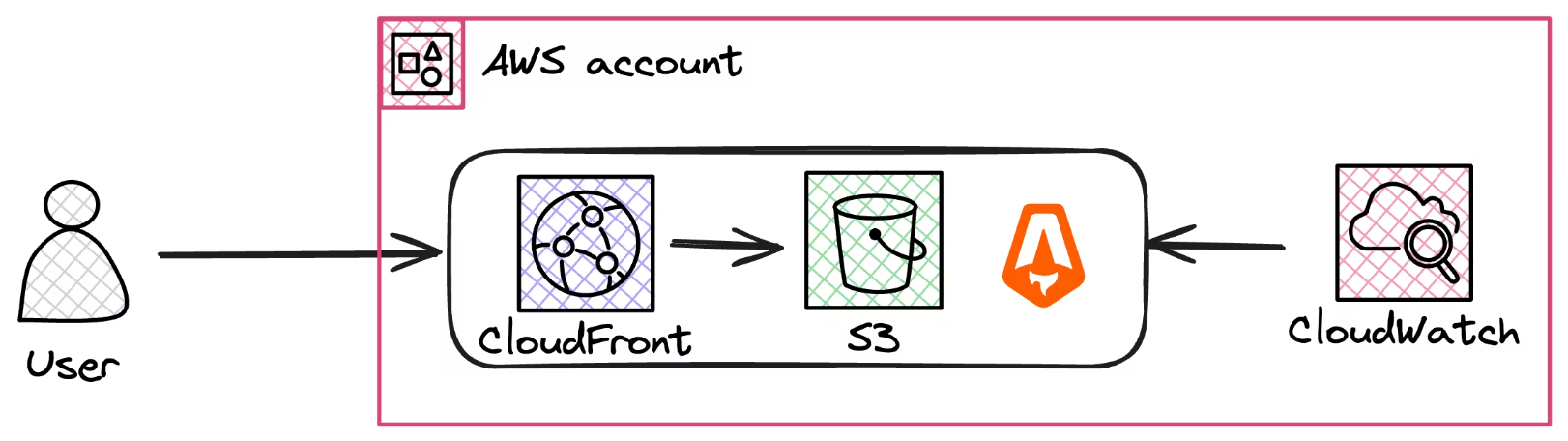
This repository provides a hands-on guide to deploying a web application using SST Ion and monitoring it using AWS CloudWatch Synthetic Canaries. The project aims to demonstrate how to use AWS services for effective monitoring and visual regression testing.
Prerequisites
Before you begin, ensure you have the following:
- An AWS account
- Node.js installed
Installation
Follow these steps to get your application up and running:
Clone the Repository
git clone https://github.com/awsfundamentals-hq/cloudwatch-synthetics-visual-regression-tests
cd cloudwatch-synthetics-visual-regression-tests
Install SST Ion SST Ion can be installed using a script or via a package manager. Choose the method that best fits your setup:
Using the Install Script
curl -fsSL https://ion.sst.dev/install | bashUsing Homebrew
brew install sst/tap/sst
brew upgrade sst
Install Dependencies
npm installDeploy the Application
sst deploy
You can also execute the following command to run the development mode:
npm run dev
Usage
Once deployed, the application will be monitored using AWS CloudWatch Synthetic Canaries. You can view the monitoring results in your AWS console under CloudWatch > Synthetic Canaries.
Contributing
We welcome contributions! Please feel free to fork the repository and submit pull requests. You can also open issues to discuss potential changes or report bugs.
License
This project is open source and available under the MIT License.