
Table of Contents
Jump to a section
Having database migrations in CI is not as straightforward as you may think. There are many edge cases to consider to understand if it makes sense. Let's go through some of those.
What is a migration?
I'm talking about SQL migrations. That means you want to change your underlying database. Typically, you add some field and fill it up with data.
But it can also be a more "interesting" operation like dropping columns, making columns non-nullable, or even dropping whole tables.
Database migrations can definitely have risks attached and should be used carefully.
RDS on One Page (No Fluff)
Manage databases efficiently. Our RDS cheat sheet covers instance types, backups, and scaling - the key aspects of database management.
HD quality, print-friendly. Stick it next to your desk.
The issue of ordering
One thing which is very interesting is the order of deployment. If I say I want to have my migrations in CI I mean that I want them applied at the same time as my application deploys.
Typically, it works like that:
- Developer merges PR
- Checks run (test, linting, types, etc.)
- Deployment runs
- Done
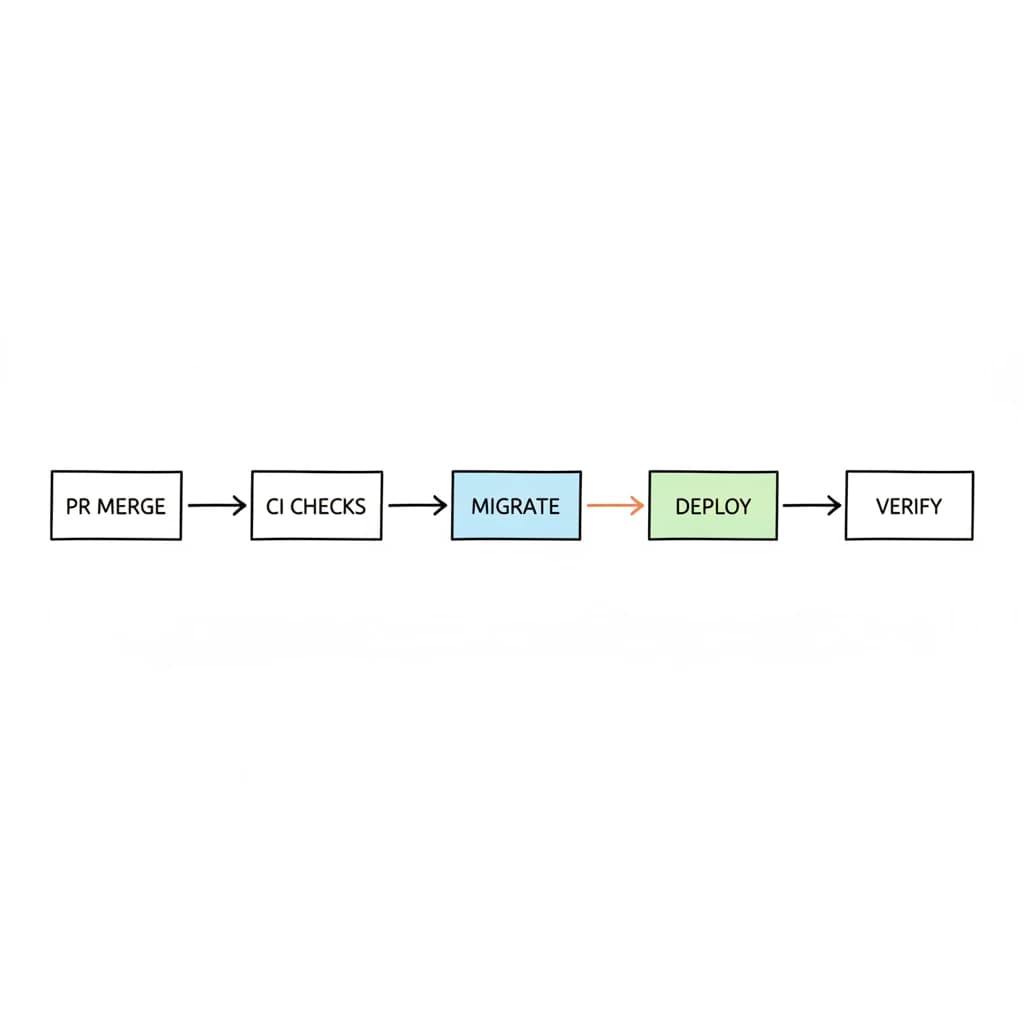
In step 3 we deploy our application. This means updating the API, provisioning new infrastructure, and building the frontend again. In this step, we want to apply database migrations as well.
But we cannot deploy two things at the same time. This is not possible. And this introduces the issue of ordering.
With a database migration you often do breaking changes. Let's see the most drastic example: you drop a column.
Let's imagine we have a profile page like in LinkedIn.
Now, a product manager decides we don't need the profile picture anymore.
A developer removes the column photo of the user's table.
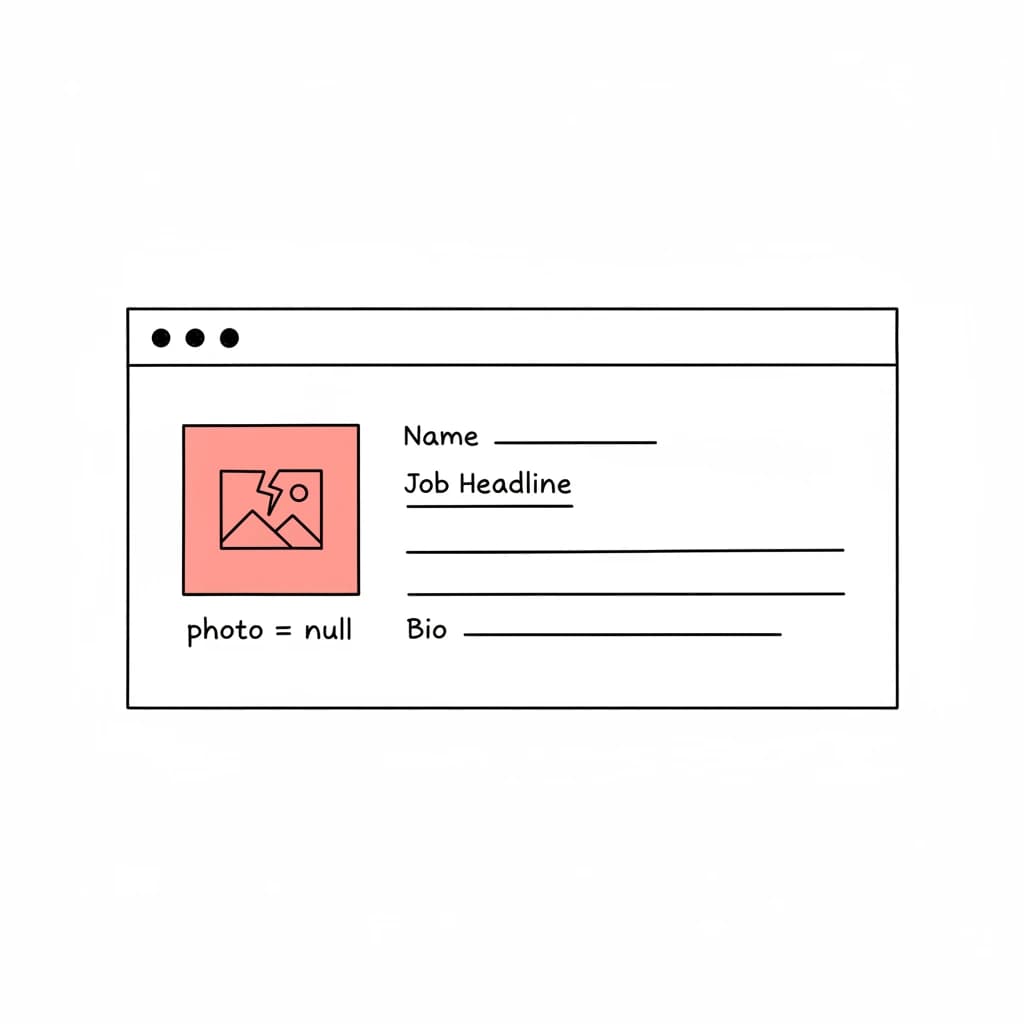
Looks a bit off, doesn't it? Now, what would be the correct order?
Removing a column - migrations first
If we remove the column first, the app will fail to render it.
It will either result in an API error, or the frontend will render something like <img src=null/>.
- Remove
user.photo - API requests
user.photo - Returns null or error
Removing a column - deployment first
If we deploy the API first, it wouldn't be that bad:
- Remove query for
user.photofrom API / don't use field anymore - Remove column
In this case, running the deployment first would be much better.
But let's think of another case: adding a location to each profile.
Adding a column - migrations first
- Migration: Add location to user table
- Deployment: Request location
This would be the correct flow.
Adding a column - deployment first
- Deployment: Request location
- ERROR
- Migration: Adding
user.location
This would be the bad case. The application is requesting the location from the database but it doesn't even exist yet.
This should summarize it.
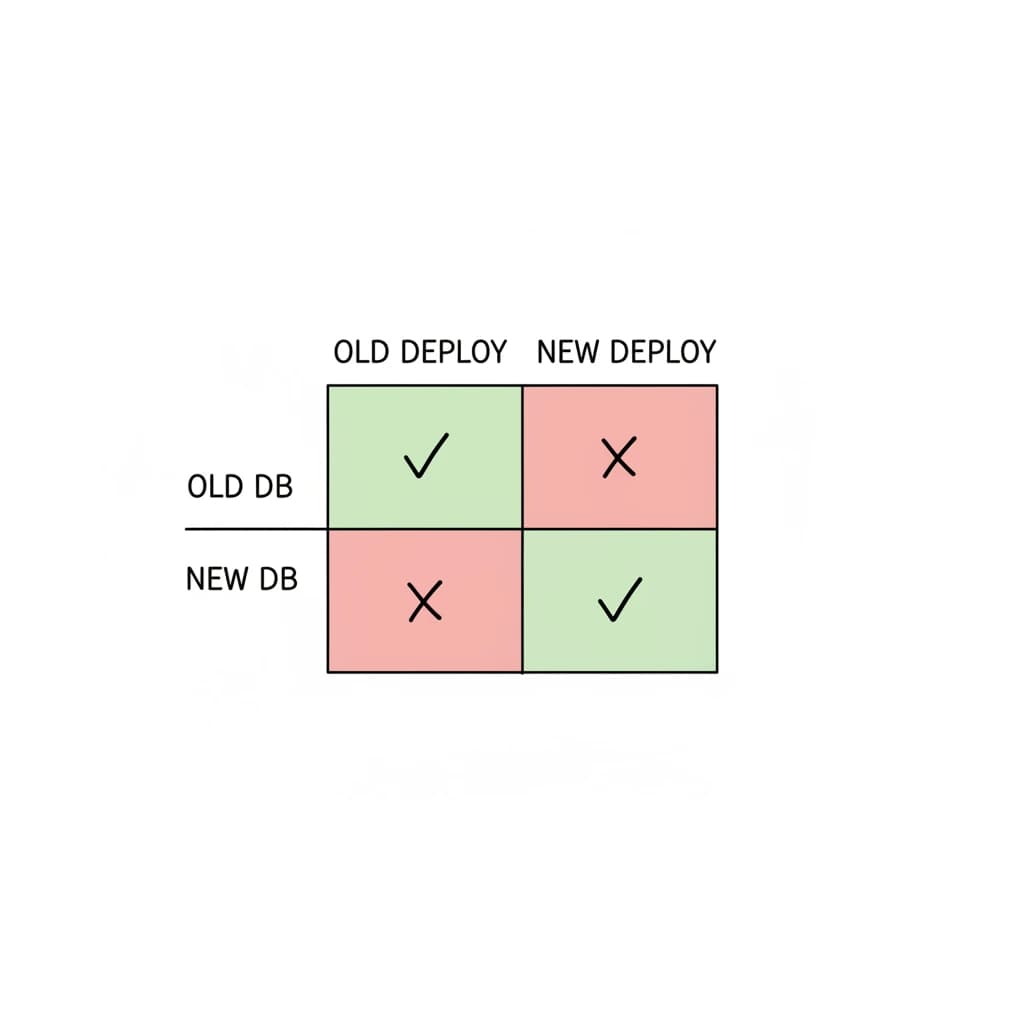
We have these entities:
- Old Deployment
- New Deployment
- Old Database
- New Database
If we take it strictly, only new and new work. And old and old work. Nothing else.
What we see in both scenarios is that errors only occur in the time that one is applied over the other. Either the migration is applied and the deployment not. Or the deployment is done but the migration is not applied.
We want to minimize the failure cases here. And we can do this by thinking about our migrations harder!
Additive vs. destructive migrations
Migration ≠ migration. There are different types of migrations. I call them additive vs. destructive.
Additive migrations
Additive migrations don't hurt anybody. They just add a new field. Like our location example.
We already have a user and in our database we add an additional field called location.
That's it.
For those migrations, we can always apply the migrations first. For the code it doesn't matter which one is deployed.
- Old code: Won't request the feature
- New code: Only works after migration ran
Destructive migrations
For destructive migrations it looks different.
This is our profile photo example.
We remove a whole column called photo from our user's table.
Here it does matter:
- Old code: Requests photo → Error ❌
- New code: Doesn't request photo → Works ✅
But what if we don't have destructive migrations at all?!
Backwards compatible
We can build migrations in a backwards compatible way. That means we should check that migrations are not destructive.
If we would remove a column like that we need to do it in multiple steps:
- PR1: Deploy code only
- PR2: Remove
user.photocolumn
Or if you would rename a column it would look like that.
Let's say we change user.name to user.firstName:
- Deploy 1:
- Migration: Add column
user.firstName& backfill data - Deploy: Write to both columns
- Migration: Add column
- Deploy 2: Read & write
firstNameonly - Deploy 3: Drop
name
And this would update our matrix to that:
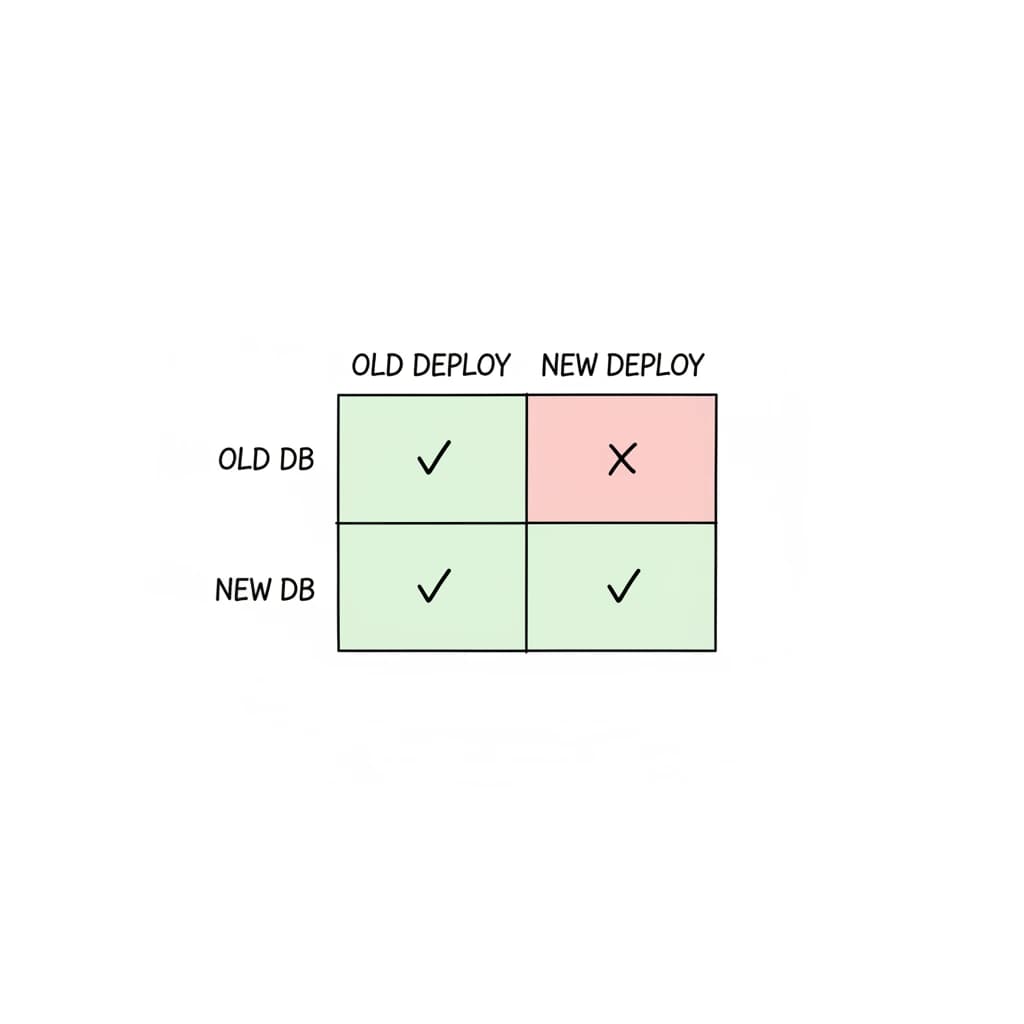
Now the case old deployment and new database works as well! But only if we stick to backwards compatible migrations. That means we never have a breaking change which is not backwards compatible in our migration.
Also remember, migrations are always applied all together. It is not just one migration which is executed. It is multiple. And they can contain both additive and destructive statements.
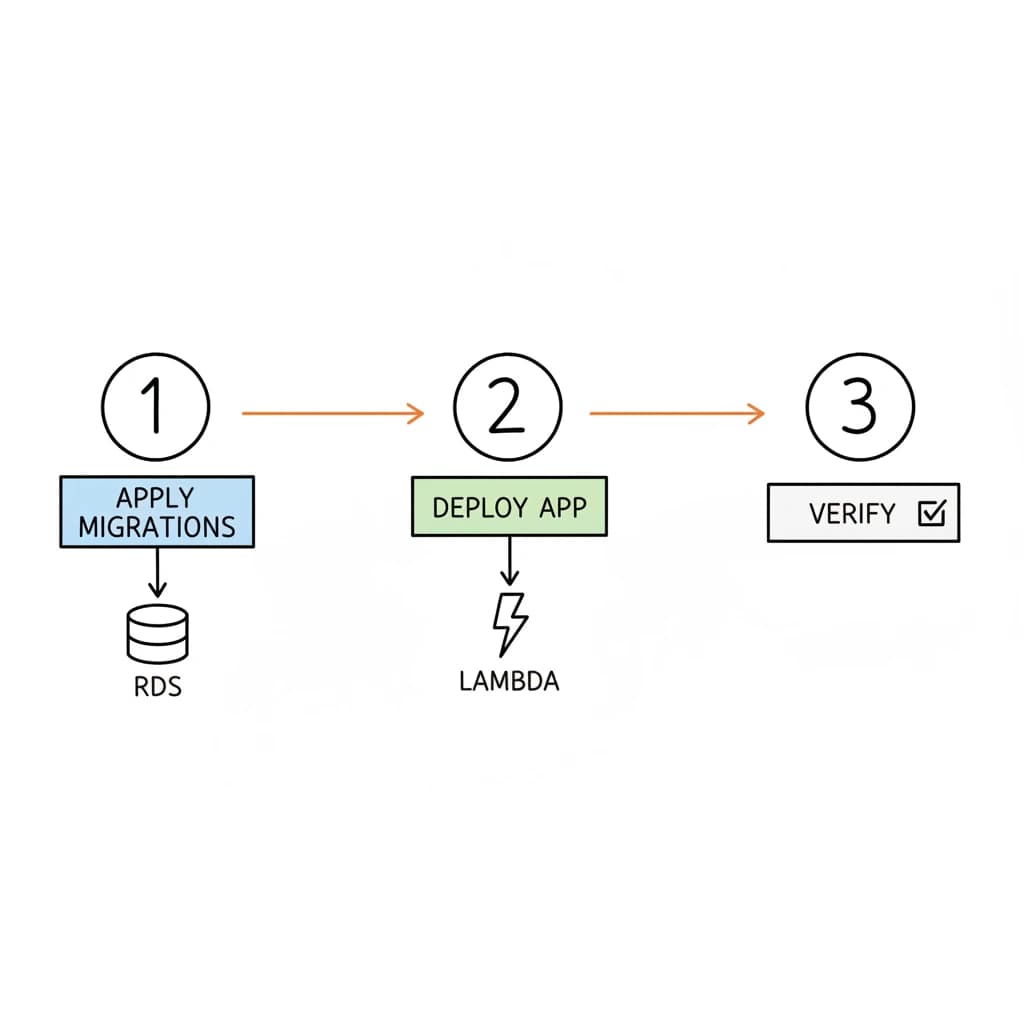
If we go with backwards compatible migrations we can go with a migrations-first strategy. That means the order of our deployments is:
- Apply migrations
- Deploy app
Summary
There is no safe way of doing migrations and code deployment in one step. The trick is to not think about the technicalities of what to do first. But to actually think of the content of your migrations.
If you only create backwards-compatible, non-destructive migrations you are much safer. Execute your migrations first, then deploy your app code. Have PR checks in place (e.g. Copilot/Claude) that check if the migrations are really backwards compatible.

