Introduction
LLMs are trained for helpfulness. They want to give you an answer as fast as possible to "close the chat loop."
While this is great for a "Hello World" script, it’s a disaster for long-term infrastructure. Without specific instructions, AI will always take the path of least resistance:
- It dumps everything into a single
main.tffile. - It uses the default VPC and
latestSDK versions. - It writes "allow all" (*) IAM policies to avoid permission errors.
This creates an illusion of productivity. You feel like a 10x engineer, but you’re actually just automating the creation of technical debt.
To solve this, we need to bridge the gap between "code that runs" and "code that’s production-ready." Enter the Terraform Claude Skill.
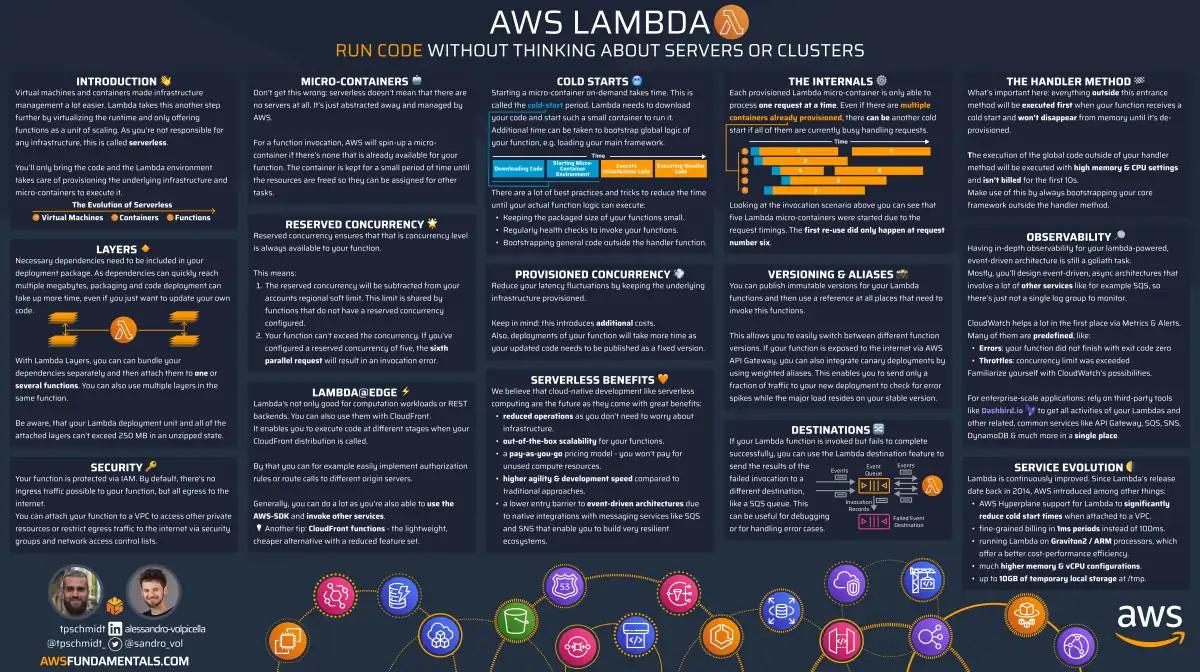
AWS Lambda on One Page (No Fluff)
Skip the 300-page docs. Our Lambda cheat sheet covers everything from cold starts to concurrency limits - the stuff we actually use daily.
HD quality, print-friendly. Stick it next to your desk.
What is the Terraform Claude Skill?
The Terraform Claude Skill is a framework created by Anton Babenko, a legend in the Terraform community whose modules have been downloaded hundreds of millions of times.
Think of this skill as a senior architect sitting between you and Claude Code. It shifts Claude's persona from a "general-purpose engineer" to a "Terraform and infrastructure pro."
It isn't just a collection of prompts; it's a four-pillar framework that enforces industry standards.
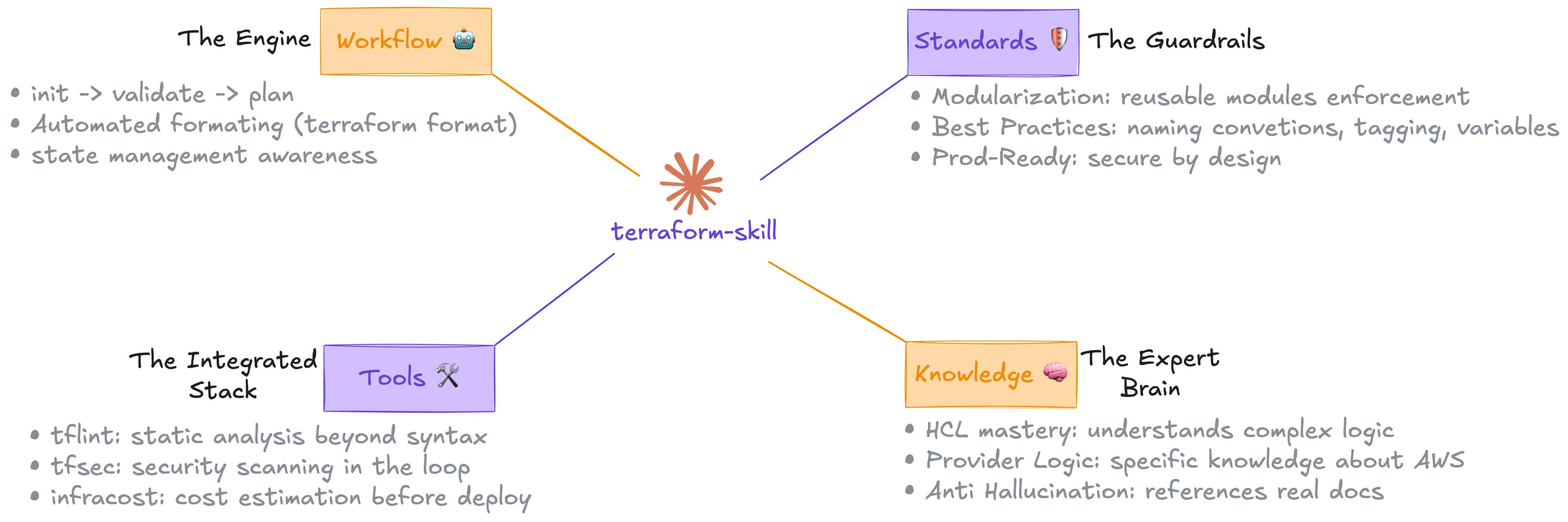
The Four Pillars of the Skill
To understand why this is a game-changer, we have to look under the hood:
- The Engine: Claude follows a strict engineering loop (
init,validate,plan). It treats your state file as the source of truth and handles automated formatting. - The Guardrails: It enforces modularity by default. No more monolithic files. It applies naming conventions and tagging strategies that work for huge teams, not just solo devs.
- The Expert Brain: It understands complex logic like nested
for_eachloops and dynamic blocks. It also forces "anti-hallucination" by requiring Claude to work with real documentation. - The Integrated Stack: Claude hires the best tools in the industry to prove its code is good. It uses
tflintfor deep linting,tfsecfor security checks, andinfracostto show you exactly how much your changes will cost.
Prerequisites
- Claude Code installed on your machine.
- Terraform CLI installed.
- Basic knowledge of Infrastructure as Code.
Step 1: Install the Terraform Skill
You can install the skill via the marketplace, but my preference is to clone it directly into your home directory. This gives you control over when the skill is active.
Run the following command in your terminal:
git clone https://github.com/antonbabenko/terraform-claude-skill.git ~/.claude/skills/terraform
By placing it in the .claude/skills folder, you can explicitly call the skill when you need it.
Step 2: Verify the Installation
Start Claude Code by typing your alias (e.g., cc or claude). You can check if the skill is registered by typing the slash command:
/terraform
If you see the command available, you’re ready to build.
Step 3: Comparing Results (Skill vs. No Skill)
To see the difference, I ran a simple prompt: "Create a Terraform module for an S3 bucket and set up a testing strategy, including native tests and a GitHub action CI pipeline."
| Feature | Plain AI (No Skill) | With Terraform Skill |
|---|---|---|
| Configurability | Hardcoded blocks (e.g., Public Access Block) | Fully bundled into variables for flexibility |
| Structure | Tests separate from module | Follows HashiCorp best practices (tests inside module) |
| Testing | Single .tftest file | Separates Unit (mocked) and Integration (real AWS) tests |
| CI/CD | Basic YAML | Includes tflint, security checks, and cost estimation |
| Safety | May fail if resources are empty | Uses try() functions for null-safe outputs |
| Security | Allows turning off encryption | Encryption enabled by default with explicit config options |
The skilled version doesn't just write code; it builds a production workbench. It creates a complete and minimal example, ensures your module is modular, and forces a stricter validation at the plan phase rather than the apply phase.
Why Quality Over Speed Matters
In DevOps, we don't just want to write Terraform faster—we want to write it once. The goal is zero refactor AI code.
When you use the Terraform Skill, you are:
- Reducing Risk: Security is baked in (no
*actions). - Enforcing Governance: Your organization’s naming and tagging standards are met.
- Saving Costs: You see the price tag of your infrastructure before you hit "deploy."
Conclusion
Don't let your AI ship "least effort" infrastructure. By bridging the gap between a general LLM and a Terraform expert, you ensure that your AWS account remains maintainable for the next three years, not just the next three minutes.
Go to Anton's repository, clone the skill, and start building reliable infrastructure.