I Read the Viral "Leaving AWS" Post Twice. Most of It Is a Skill Issue.

 AWS
AWS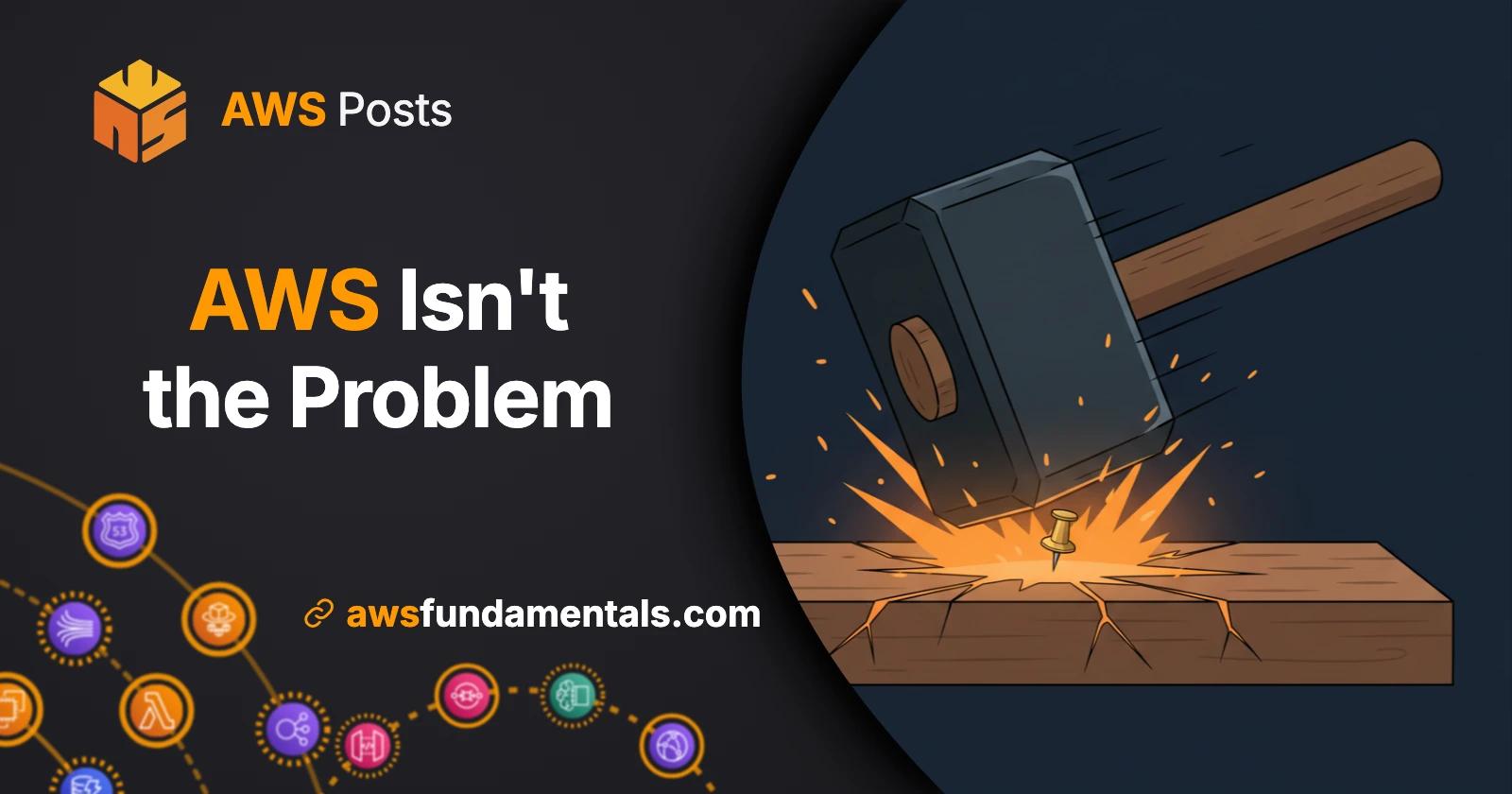
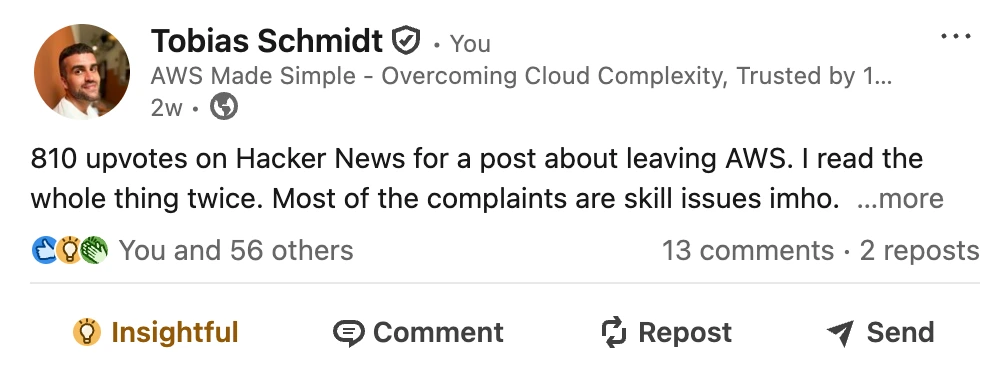
A post about leaving AWS hit 810 upvotes on Hacker News last week. I read the whole thing twice before forming an opinion. My honest take: most of the complaints in there are skill issues - and I don't want to sound arrogant about it.

I want to be fair about this. The post is well written and the frustration is real. A few of the points are valid and I will say so when I get to them. But most of it reads like someone used AWS the wrong way and blamed AWS for the outcome.
The cover image of this article is on purpose. A massive industrial sledgehammer slamming into a tiny thumbtack and cracking the workbench around the impact point. That is the metaphor I keep coming back to when I read the original post. The tool is fine, but the target is wrong. It's a self-inflicted wound. 🫠
I am going to go through all ten complaints from the original post one by one. Some I disagree with strongly. One I agree with completely. At the end I will explain the pattern I see across all of them.
Before turning this into a full article I wrote a short take on LinkedIn - you may want to read this if you prefer a shorter version:
Now to the ten points.
Where I'm coming from
Quick context so you know this is not theoretical, if you don't know me yet:
I have been working with AWS for years, both as an engineer and as someone who teaches it. I have run production workloads for a customer base of over one million users. I've migrated large-scale applications to AWS, built new ones from scratch, and yes, I have also been hit with surprise egress bills.
I am not an AWS fanboy, even if it looks like it sometimes. I will call out the bad parts where they exist. I have done it plenty of times on LinkedIn already:
- us-east-1 was almost 3x worse than the runner-up in 2025 — ten major outages and nearly 34 hours of total downtime in a single year. If you can avoid that region for mission-critical workloads, you probably should.
- The AWS console needs transparent pricing — Azure shows you the monthly cost during resource creation. AWS hides it behind a separate calculator. That gap has existed for years.
- AWS support quality is sliding in the wrong direction — after the 16,000 layoffs, tickets that used to get a real answer in hours now come back with generic responses that read like someone unfamiliar with the service. Build a backup escalation path.
So when I say most of the complaints in the post are skill issues, it is not because I think AWS is flawless. But I have enough scar tissue (some of them still recovering from 😅) to know the difference between "AWS is bad" and "I used AWS wrong". 😉
AWS Lambda on One Page (No Fluff)
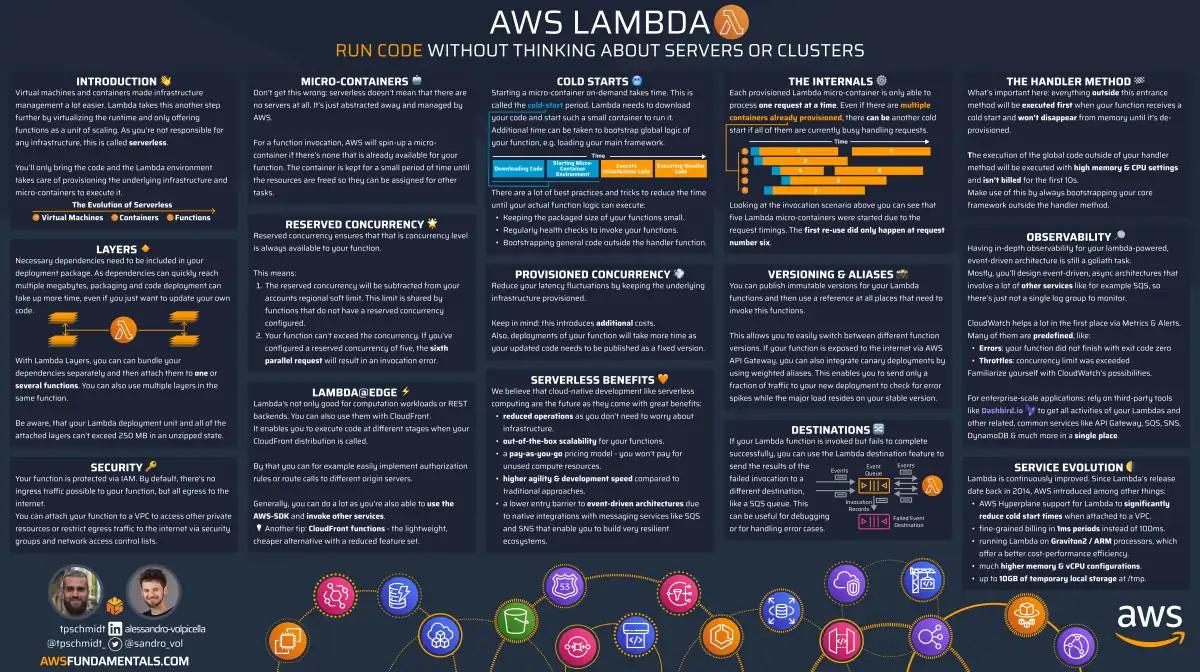
Skip the 300-page docs. Our Lambda cheat sheet covers everything from cold starts to concurrency limits - the stuff we actually use daily.
HD quality, print-friendly. Stick it next to your desk.
1. The account suspension
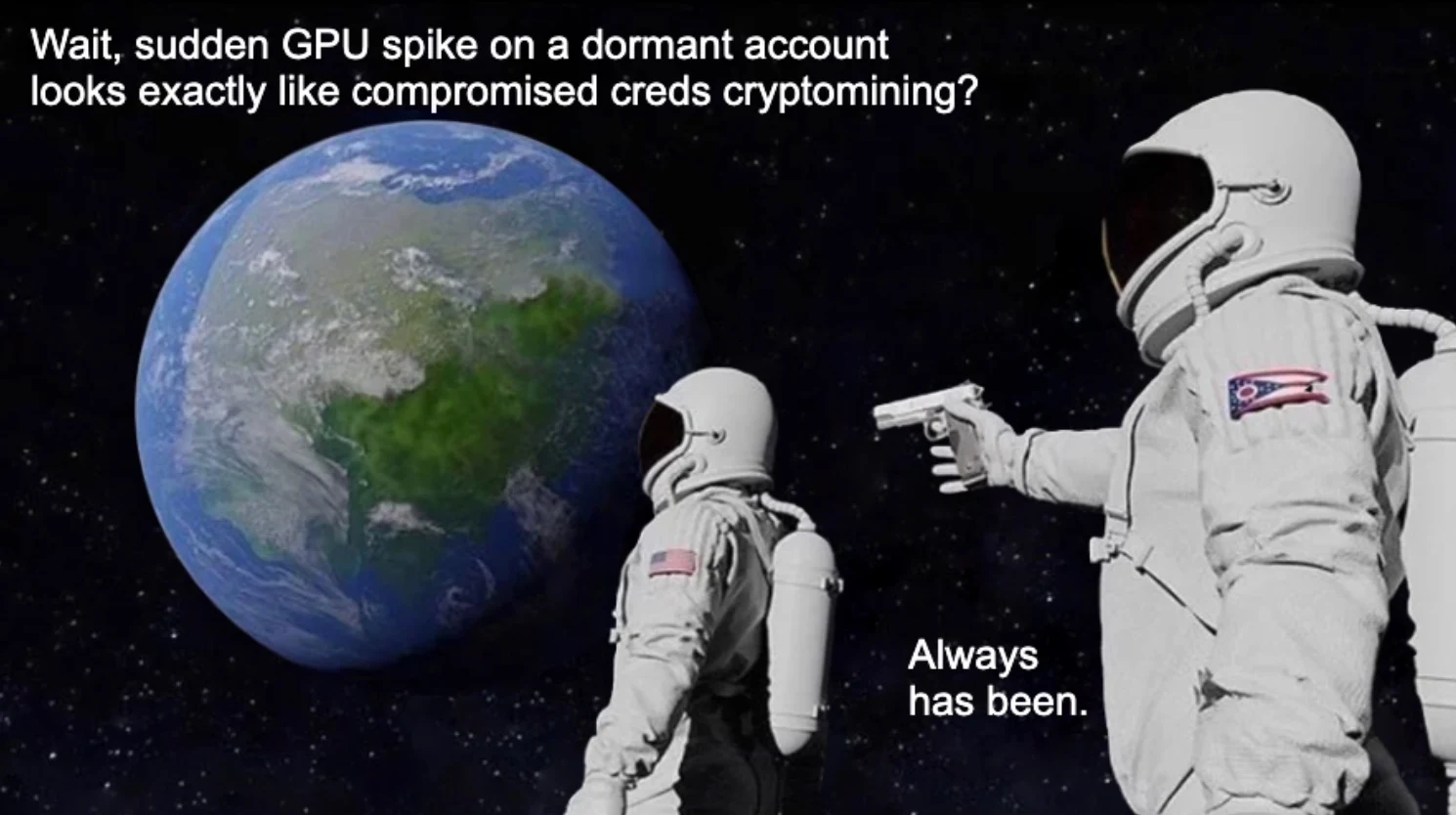
Somewhere in the depths of AWS some sort of security alarm had been triggered probably by the fact that my mostly dormant account suddenly started doing stuff with an expensive computer.
The first complaint is that AWS suspended the account out of "nowhere". The author had spun up some GPU instances for an experiment, and the next morning the account was locked.
Here is what AWS is doing in that moment: GPU instances appearing on a previously low-volume account is one of the most reliable signals of compromised credentials! Attackers get their hands on a leaked access key, spin up the biggest GPU boxes they can find, and mine crypto until someone notices. The bill from a successful attack like this is often in the tens of thousands of dollars — see the EleKtra-Leak campaign, AWS's own GuardDuty warning, or this $89k overnight bill for real examples.
So when the system saw GPU instances pop up on an account that had never used them before, it did exactly what a fraud system is INTENDED to do. It paused everything and asked for verification.
A few days of friction is annoying, but a fifty thousand dollar surprise bill is much worse.
I would rather have the safety net than not! But maybe that's me being a paranoid nerd.
2. Support did not respond fast enough
Of course I do not pay for premium support, so I have to wait the 24 hours that they said it would take them to reply. It's 3 days and AWS support has not replied.
The post complains that AWS support took too long to reply during the suspension. Later in the same post, the author admits they were on the free support tier.
This is the part where I have to be blunt. AWS Basic Support is best-effort. There is neither an SLA nor a guaranteed response time. That is the deal you signed up for when you picked the free plan. 🤷♂️
If your business depends on AWS being available, you pay for a real support plan. Developer support starts at twenty-nine dollars a month and gives you guaranteed response times. Business support gives you a one-hour SLA for production-down issues.
Expecting fast human support on the free tier is the same as expecting same-day delivery on the free delivery option. It is not how the product or any business works.
One more thing worth saying: AWS social support is genuinely excellent (even though it slightly declined since the massive layoffs). Post a clear, polite description of your problem on X and tag AWS, and someone will usually reply within an hour. I have had real issues escalated this way and resolved fast, even on accounts without a paid support plan. It is not a substitute for a real contract, but it is a real escape hatch when you are stuck.
I have a concrete story on this one.
During a migration from Edgio to CloudFront last year (you can read the full write-up here), my client was stuck on a Lambda concurrency limit of 10 on brand-new AWS accounts that we needed for the Lambda@Edge functions. We had no Premium Support contract and a hard deadline driven by Edgio filing for Chapter 11 bankruptcy in September 2024 and the "Azure CDN from Edgio" service being retired with very short notice right before Christmas. I sent a polite tweet to @AWSSupport explaining the situation:
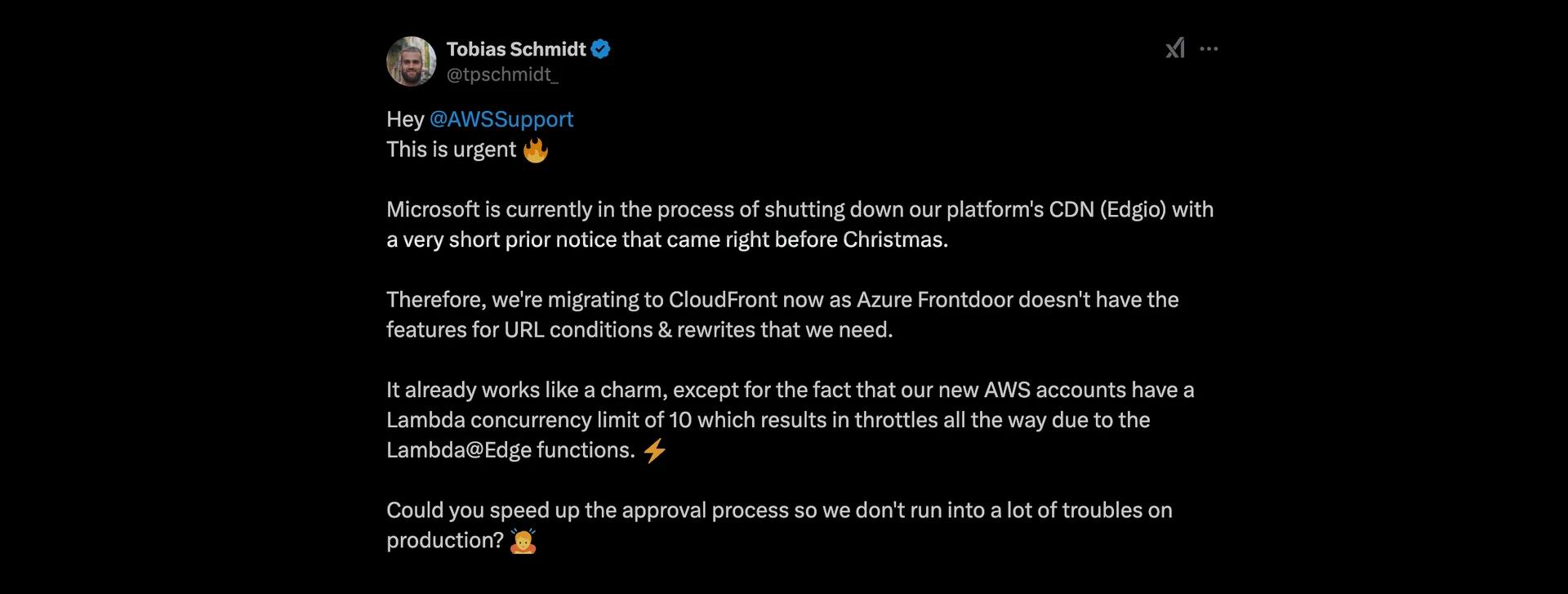
The reply came in minutes! After a short private message exchange describing the setup, the limits were raised in all regions within a few hours. That is the kind of thing that saved us big time on a project where our core service could have been shut down at any moment.
Now compare that to the Microsoft side of the same migration. Edgio was not owned by Microsoft, but Azure had resold it as a managed CDN integration for years (without mentioning this VERY EXPLICITLY in their marketing materials - you could outright use it directly from the Azure web console!).
When Edgio went bankrupt, Microsoft retired "Azure CDN from Edgio" and effectively pushed every Azure CDN customer off the platform with very short notice. We were on a paid Azure plan for the surrounding infrastructure.
And the help we got from Microsoft on the wind-down of a service they had been selling for years was, to put it generously, NOTHING. No support form was answered. There was just a generic "we'll migrate you to Azure Frontdoor on a best effort basis" email. That's it.
You only get a real human inside Azure if you file a "business at risk" ticket on the enterprise plan, which costs a lot of money and is overkill for most teams.
AWS is far from perfect here, but in my experience it is meaningfully ahead of the alternatives (without having deep insights into GCP side, but if it's comparable to other Google products, meaning zero support, it's lightyears ahead).
3. Quota requests feel like gatekeeping
I am dreading having to 'request quota' to be allowed to do that.
The author was frustrated that they could not just spin up whatever they wanted, and that quota increase requests sometimes took time.
Quotas exist for two reasons, and both of them protect you instead of being a hindrance:
- For the same reason the suspension exists: stopping a compromised account from running up a huge bill.
- Capacity planning on the AWS side, especially for scarce resources like GPU instances.
In my experience, most quota increases I have asked for were approved within hours. Some were instant. A few of the bigger ones took a day or two because a human had to look at them, which is pretty reasonable.
It is also worth mentioning that AWS made this much better recently. In October 2025, automatic quota management for AWS Service Quotas went generally available. You can now configure your account so quotas get raised automatically based on your actual usage, with notifications sent to email, SMS, or Slack. The feature is free and works across regions and accounts.
So if quotas felt like a wall in the past, that wall now has a door that opens on its own (disclaimer: if you want to take the risk!).
4. "IAM was invented by Lucifer in the ninth level of Hell"
IAM - the hideously complex auth and access rules system - this was invented by Lucifer sitting on his burning throne in the ninth level of Hell as the worst possible torment for those who have been sent below for using AWS.
This is the line that gets quoted the most, and I get the joke. IAM has a learning curve. But calling it the work of the devil is more than a bit over the top. 😅
The core model of IAM is genuinely simple. Three questions: who is making the request, what action are they trying to perform, and on which resource? That is it. Every policy you will ever write boils down to those three things plus optional conditions (which you don't need to learn at all to get started).
The complexity people complain about is usually one of two things. Either they are reading auto-generated policies from the console, which are verbose on purpose, or they are running into the difference between identity policies, resource policies, and permission boundaries. Both of those are real, and both of them are explainable in an afternoon.
The tooling has also gotten much better recently. IAM Access Analyzer will generate least-privilege policies from your CloudTrail history. Policy Simulator will tell you exactly why a request was denied. Neither of those tools existed when most people formed their opinion of IAM. Also: there's AI to help you properly write fitting policies for your workload now.
Yes, IAM is not friendly to beginners, so this is a somewhat fair criticism. But it is the security boundary of one of the largest computing platforms on earth, and the depth is there for a reason. There's probably no place (except for gambling) where you can ruin your financial life as quickly as on a hyperscaler like AWS, so they should take their security model and mindset very seriously.
5. There are 300+ services and it is overwhelming
Complexity in everything - once I noticed the complexity of IAM I could not unsee the complexity everywhere in AWS. The weirdest thing is that AWS true believers say "you MUST use AWS because its too complex to run your own computer systems, Linux, hardware networking security etc". These true believers have blinded themselves to the unbelievable, massive complexity of pretty much everything in AWS. AWS is ridiculously complex and you need to employ a team of expensive experts to run the show.
The post argues that AWS has too many services, that it is impossible to keep track of, and that nobody can possibly understand all of it.
That last part is 100% correct. Nobody understands all 300+ services. But the thing is: nobody needs to.
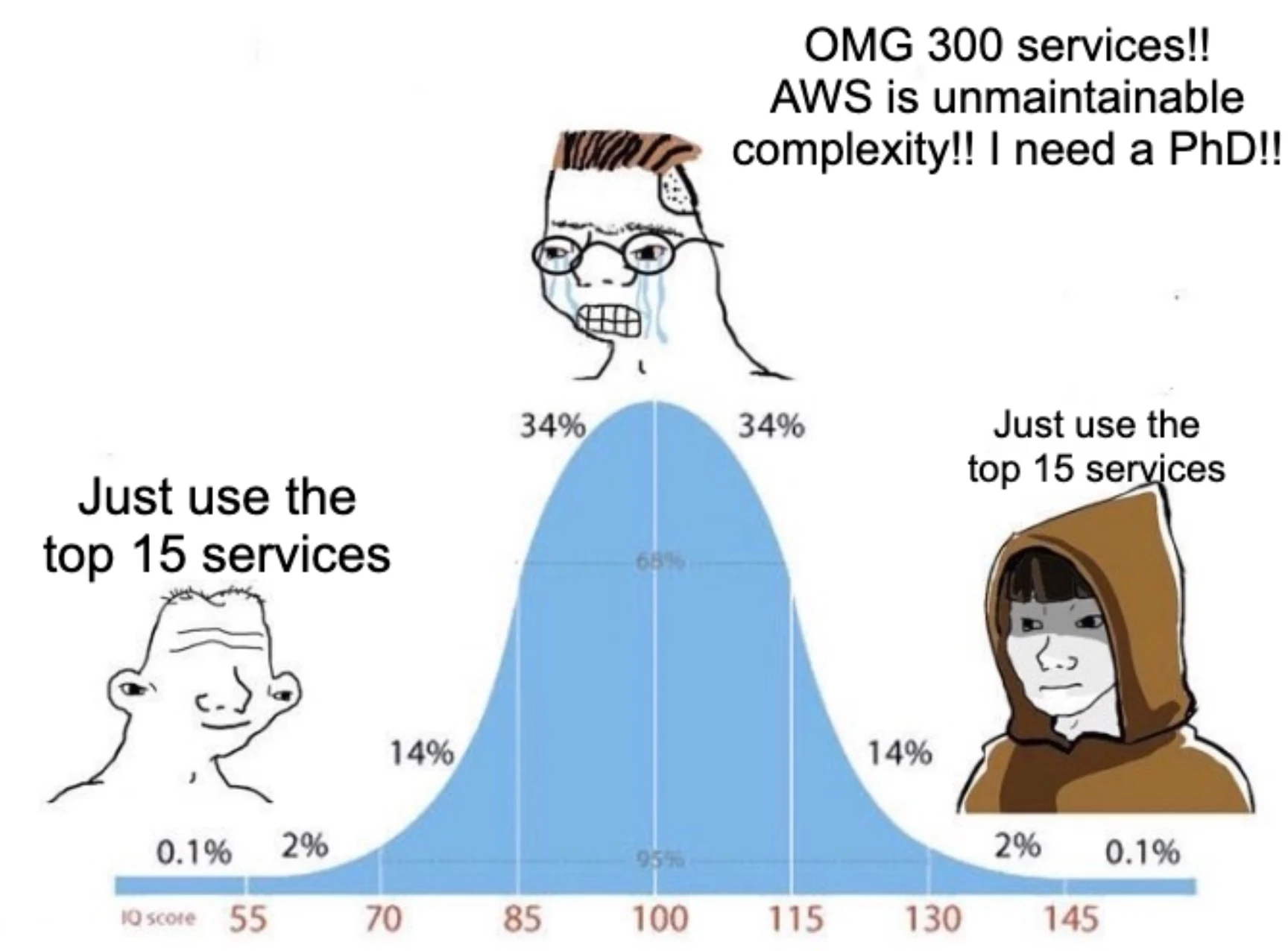
In practice, the top fifteen (maybe 20) services cover something like 99% of real workloads. EC2, S3, Lambda, RDS, DynamoDB, SQS, SNS, EventBridge, CloudWatch, IAM, VPC, ECS or EKS, CloudFront, API Gateway, and Route53. Learn those properly and you can build almost anything. Everything beyond that list is very domain-specific and you will only ever touch it if you have a specific reason to.
Nothing in this list requires a PhD. You can pick up S3 in an afternoon, DynamoDB takes about a week if you read up on access patterns first, and IAM is the one that needs a month of real use before it starts to feel natural.
The AWS console makes it look like you need to understand everything before you can build anything, and that is genuinely off-putting. But you do not have to learn the whole menu to order dinner.
6. DynamoDB burned seventy-five dollars in a single day
DynamoDB - there's not much software that I hate - but oh boy - DynamoDB what a hot pile of garbage. I tried it and ended up with a $75USD bill by the end of the day. And its not just the cost, it's just the worst system I can imagine in every possible way.
The author wrote that they ran up a seventy-five dollar bill on DynamoDB in one day of "testing", and concluded that the service is dangerous and confusing.
This one is personal for me because I have real numbers from production. I ran DynamoDB as the primary database for an application with over one million users. The monthly bill was a few hundred dollars, even though we ran it with on-demand capacity (which is 7x more expensive than the provisioned capacity!) We never had a serious cost incident with it (or any other incident - this thing just works!)
So what is the difference between a few hundred dollars a month at scale and seventy-five dollars in a day on a test workload? The difference is the mental model.
DynamoDB is not a relational database. If you treat it like one and run full table scans, filter on non-key attributes, or use inefficient query patterns, you will get billed for every byte you read.

- On-demand pricing is generous when your access patterns match the partition keys.
- On-demand pricing is brutal when your access patterns "fight" the partition keys.
The single most expensive thing you can do in DynamoDB is a Scan (also the slowest one). A Scan reads every item in the table (until it finds the desired item or reaches the end of the table) and bills you for all of them. If your "testing" involves repeated Scans on a table you loaded with sample data, seventy-five dollars in a day is not surprising at all.
Learn the access pattern model before you design your table schema. Pick partition keys that match your queries. Use a GSI when you need a secondary access pattern. Do that and DynamoDB stays cheap forever.
7. Lambda is "a horrible mistake"
AWS Lambda - yeah I really bought the sell on this - "its scalable!!!!", and I ignored the slow startup times, the MASSIVE development complexity. There's simply no genuine benefit to AWS Lambda compared to running your own web servers, and there's many many down sides. When eventually I moved out of AWS the hardest thing to undo was the AWS Lambda stuff. The vendor lock-in is real. If you're using AWS Lambda then you have to work to keep convincing yourself this is better than your own web servers. Keep convincing yourself that using AWS Lambda is not a horrible mistake.
The original post calls Lambda a horrible mistake. I had to read that line twice as it obviously doesn't make any sense. Lambda is maybe one of the greatest engineering feats of the past decade.
But yes: Lambda is not a good fit for every workload. But also nobody serious claims that it is. If you have a steady, high-CPU service that runs 24/7, you want an EC2 instance or a Fargate task, not a Lambda function.
But for event-driven workloads, Lambda is one of the easiest things AWS has ever shipped. A new object lands in S3, a message arrives in an SQS queue, an EventBridge schedule fires on Tuesday at 3am... all of those wire up to a Lambda in a handful of lines of config.
There is no server to patch, no autoscaling group to configure, and best of all, no idle cost when nothing is happening. You write a function, you wire up the trigger, and AWS runs it. For this style of work, "horrible mistake" is the wrong framing.
Cold starts are the usual complaint, and they used to be a real one. That (mostly) stopped being true a while ago. On a production workload with steady traffic, cold starts make up well under 0.1% of invocations. The remaining 99.9%+ of requests run on a warm container with no startup penalty at all.
The cold starts themselves also got drastically faster over the past few years. A Go or Rust Lambda cold-starts in the tens of milliseconds. A non-bloated Node.js Lambda cold-starts in the low hundreds of milliseconds. Java was the historical pain point, and SnapStart fixed most of that too!
The other ghost story is "VPC cold starts are slow". That used to be true. AWS rewrote the network stack a few years ago so VPC-attached Lambdas now share the same hyperplane ENI infrastructure and skip the old ENI cold-attach step. The cold-start penalty for putting a Lambda inside a VPC is now much better behaved.
If your latency budget cannot tolerate a sub-second cold start on the first request after idle, Lambda is not your answer. For everything else, the developer (and operational) experience is unbeatable.
8. AWS "stomped on open source"
AWS stomped on open source projects - despite the clear desire of projects like Elasticsearch, Redis, and MongoDB not to be cloned and monetized, AWS pushed ahead with OpenSearch, Valkey, and DocumentDB anyway, capturing the hosted-service money after those communities and companies had built the markets; the result was a wave of defensive licenses like SSPL, Elastic License, RSAL, and other source-available models designed less to stop ordinary users than to stop AWS from stripping open-source infrastructure for parts, owning the customer relationship. AWS is a predator.
The post repeats the common claim that AWS bullies open source by forking projects like Valkey, OpenSearch, and DocumentDB.
This story is told backwards almost every time.
The pattern in every one of these cases is the same. A company built an open source project, grew big on the work of the community, and then changed the license to lock cloud providers out of running it as a managed service.
- Elastic did this with Elasticsearch
- Redis did it with Redis itself
- MongoDB went the same route with the SSPL
The license changes were aimed at AWS, but they also broke the open source social contract that built those projects in the first place. The original code, contributed by thousands of people under an open license, was suddenly no longer open.
AWS responded by forking the last open version and continuing development. OpenSearch is the fork of Elasticsearch. Valkey is the fork of Redis, and it is maintained by former Redis core developers along with the original community.
You can argue about whether AWS should pay more upstream. That is a real debate. But framing the forks as AWS attacking open source is not what happened. The license changes came first. AWS just refused to be locked in.
To be fair though, this is also a one-sided take. Thijs Knoops pushed back on exactly this point in the comments on my LinkedIn post:
Agree with most of it but the forking of OSS projects is a bit short sighted. Yes AWS, forked the projects after license changes, but you might want to look at what caused the license changes. Not choosing sides here, but your statement lacks nuance just as the authors opinion does on this particular subject.
He has a point. The license changes were not made in a vacuum. AWS had spent years running Elasticsearch and Redis as managed services and contributing comparatively little back to those projects. The license changes were a response to that pattern.
So the full story is: AWS profited heavily from those projects, the upstream companies tried to claw some of that back through license changes, and then AWS forked. Whether you side with AWS or with Elastic/Redis on that exchange depends on what you think the open-source social contract is supposed to look like in the cloud era.
9. Egress pricing
20 cents a gigabyte egress - oh boy - holy schmoly do you have any idea how expensive this is? And it's gone down over time to the still ridiculously expensive 9 cents per gigabyte. This is fucking insanely expensive. If you use AWS and 9 cents per gigabyte egress is not front of mind then look in the mirror to find the stooge - it's you.
This is the one point where I have no defense.
AWS egress pricing is bad. Nine cents per gigabyte going out to the internet at the standard tier is not justifiable in 2026. Cloudflare gives you egress for free. Hetzner gives you twenty terabytes per month included on a five-euro server. The AWS price has barely moved in a decade.
There are workarounds. CloudFront brings the per-gigabyte cost down a lot if you can serve through it (and has a nice always-free tier too with 1TB of data transfer out per month). Inter-region transfer is cheaper than internet egress. But none of that changes the headline number.
If you are running a workload that pushes a lot of data out to users, egress is going to dominate your bill at some point. This complaint is fair. This one is on AWS.
10. WorkMail, Route53, and domain registration all at AWS
I left my domains on Route53, left a few backups in S3 and continued to use AWS Workmail (which they have just notified me is now shutting down in 12 months).
The author had their business email on WorkMail, their DNS in Route53, and their domain registered through AWS, and then the suspension hit and everything went dark at once.
My first take on this in the LinkedIn post was that this is bad ops hygiene rather than an AWS problem. A reader called that out, and fairly so:
For point 10. It's user's fault/bad hygiene that they trusted on Aws with everything? I understand that ideally people should diversifiy their stack. So do you recommend this diversification for other aws services as well or just the nr 10?
That is a good question and I want to give it a real answer.
I am not saying you should diversify every AWS service you use. That would defeat the point of being on a cloud provider in the first place. Running your compute, storage, queues, and databases all in AWS is normal and fine. The whole value of a cloud platform is the integration between those services.
The line I would draw is narrower than "diversify everything". There are three things that act as the control plane for your business:
- Your domain registrar (controls where the name points)
- Your DNS (controls where traffic goes)
- Your business email (the recovery channel for almost every other account you own)
If you lose access to all three at the same time, you lose the ability to recover anything else.
- You cannot redirect traffic away from AWS.
- You cannot receive password resets.
- You cannot prove ownership of your domain to a new provider.
So the rule I follow is narrower: keep your recovery channel off the same provider that holds your production workload. By that standard, running EC2 + S3 + Lambda + RDS all on AWS is totally fine. Running your registrar + DNS + email on the same provider that holds your production workload is not.
The author's specific bad luck on top of that is WorkMail being deprecated in March 2027. Even if the suspension had never happened, that email service is going away. Running production email on a sunsetting service was a questionable choice independent of the rest.
So the fair version of point 10 is this.
The total outage during the suspension was partially the author's setup choice and partially AWS being aggressive with the suspension itself. The lesson is to keep your recovery path on a different provider than your compute.
But maybe that's just me.
The pattern under all of this
When I step back and look at all ten points together, the same shape shows up in most of them.
The author was clicking around the AWS console, spinning up GPU instances for a one-off experiment, hitting safety systems that exist to protect customers from runaway bills, and getting frustrated when the platform did not behave like a hobby VPS.
AWS is not optimized for that. AWS is optimized for production workloads, defined as code, deployed through Terraform or CDK or CloudFormation, monitored through CloudWatch, and run by teams who care enough to pay for support. That is who the platform is built for.
If you bring a workflow that fights that design and AWS reacts the way it was built to react, the thing that broke is the mismatch between your workflow and the platform.
"This tool is wrong for me" is a useful conclusion. "This tool is wrong for everyone" is a much bigger claim that needs much better evidence than this post provided.
When AWS is the wrong choice
I want to be fair, so let me say where I think the original author had a point without realizing it.
AWS can genuinely be a "non-optimal" choice for some workloads.
- Hobby projects you will forget about in a month.
- Single-purpose VPS workloads with predictable traffic.
- A weekend GPU experiment to play with a model.
- A static site you want to ship in fifteen minutes.
For these, AWS is overkill if you don't know what you're doing. The console is too big, the safety systems maybe too aggressive, and the egress costs can surprise you. Hetzner, Fly.io, and DigitalOcean exist for a reason, and the workloads in the list above are exactly the reason.
Pick the tool that matches the job best (and if possible, that you know very well). If you need a VPS, get a VPS. If you need to run a real product at scale with compliance, audit trails, and a hundred integrated services available when you need them, that is the AWS bet.
Summary
If I had to compress all of this into three short lines, it would be these.
Use the right tool for the right job. AWS is built for production at scale through IaC, so for a one-off GPU experiment or a hobby site, something smaller will serve you better.
Read the manual. Most of the surprises in the original post are documented behavior: DynamoDB pricing follows access patterns, Basic Support has no SLA, quotas exist for a reason. None of this is hidden.
Check your facts. "AWS stomped on open source" reads very differently once you look at the license changes that came first. A bit of context goes a long way before publishing a takedown.
Egress pricing is the one real point where AWS is clearly at fault and it stands. Everything else mostly goes away once you pick the right tool, read the docs, and double-check the story before you tell it.